
Kuwait Civil ID payment online 2026
Paying your Civil ID fee is now fully online. Complete your Civil ID payment through the PACI website, the Sahel app, or a nearby kiosk. Just enter your Civil ID number, check the amount, and pay with your K-Net card. No queues, no office visit needed.
Civil ID Payment Online: Detailed process
Civil ID fee payment is a simple process. Here are the three main methods you can use for this purpose. Follow them exactly to avoid worries.
PACI Website
This is the most direct route. It works any time, day or night.
- Visit services.paci.gov.kw.
- Go to Fees Payment under Civil ID services.
- Enter your Civil ID number.
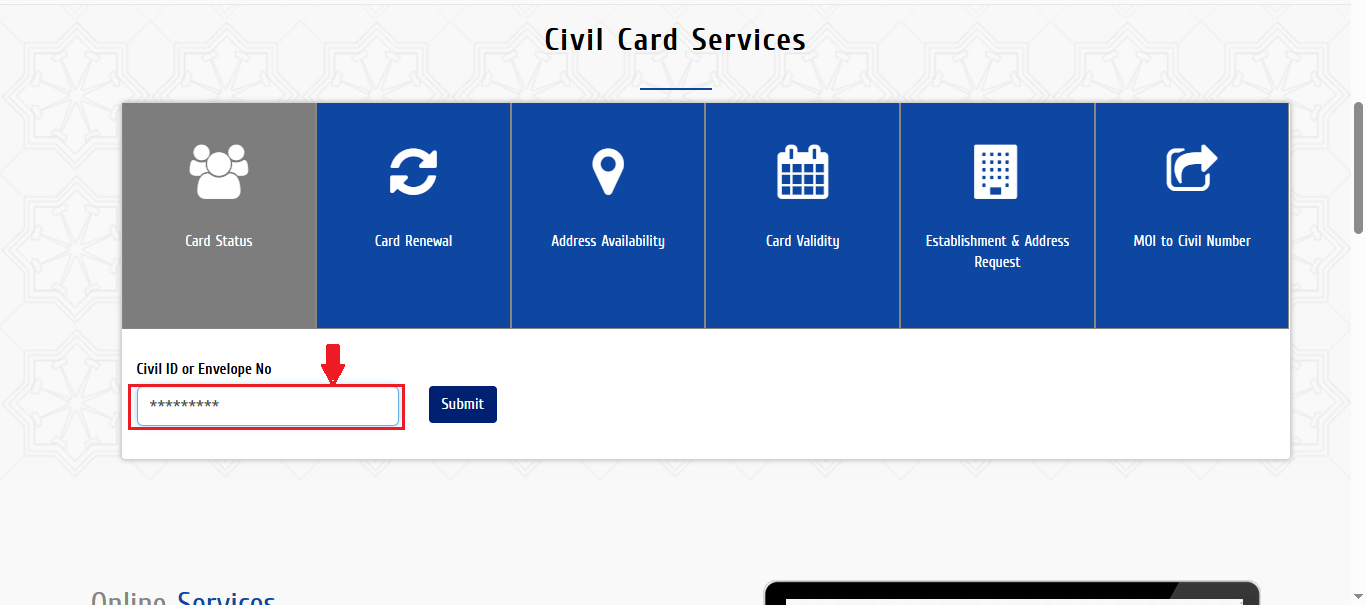
4. Click the Submit button. The system shows your name and the total amount due.
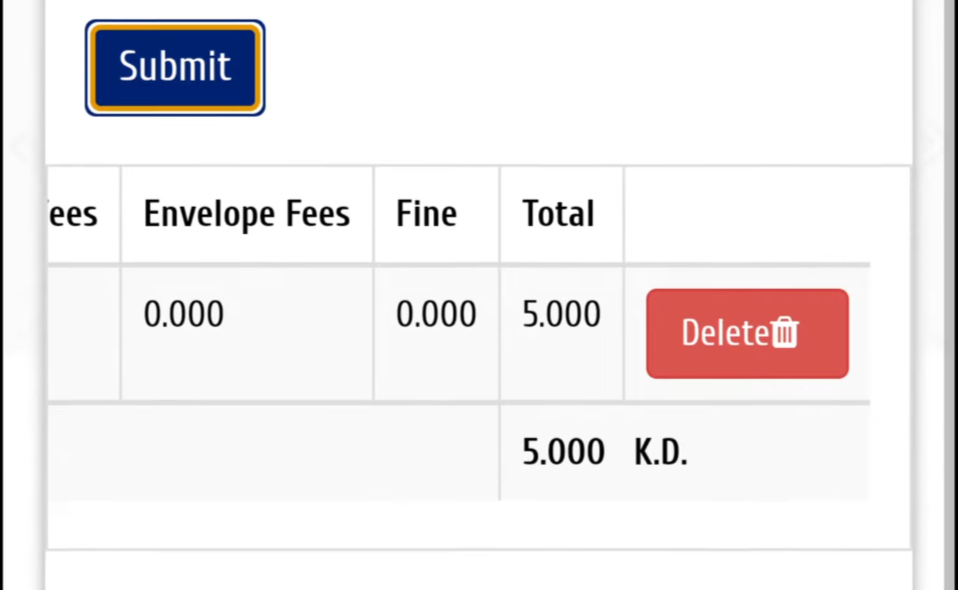
5. Select your bank, then approve the OTP sent to your phone.
6. Wait for the confirmation screen.
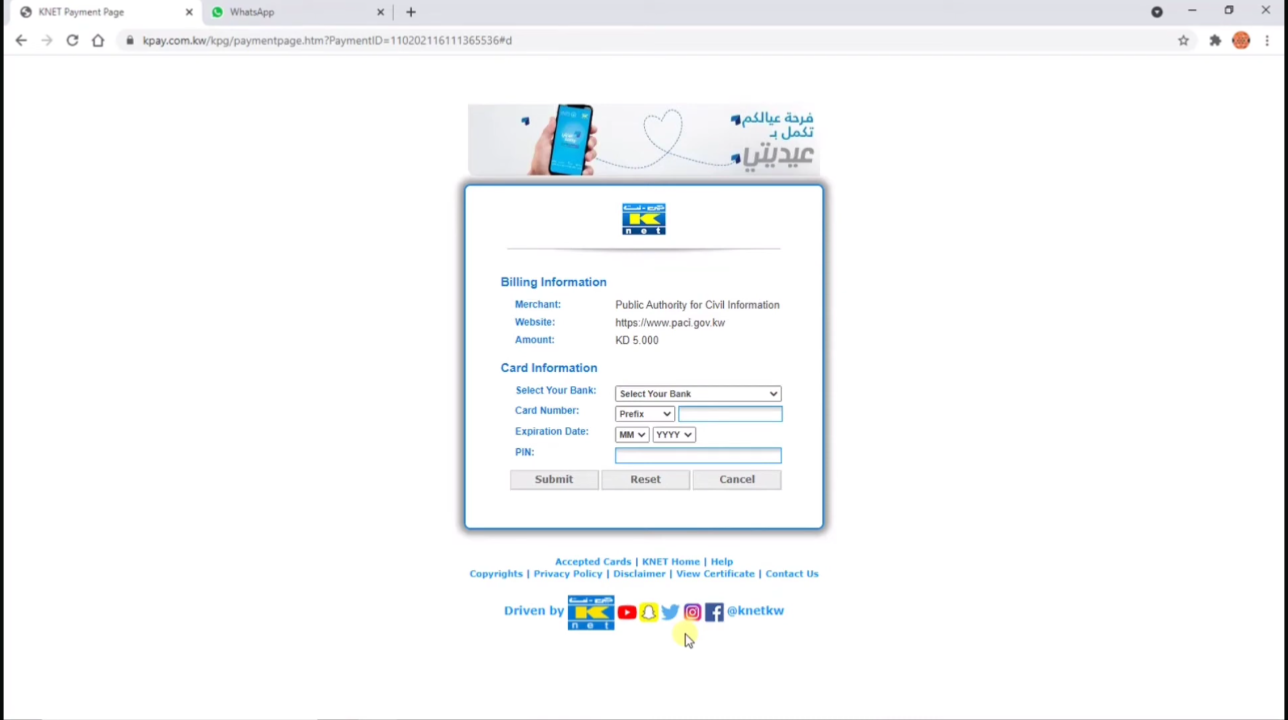
7. Download or print your receipt.
In this way, you can pay via website. The web portal is also a good option for Civil ID application online.
Sahel App
Use the Sahel app for each payment at once. Here is the process:
- Open the app and log in.
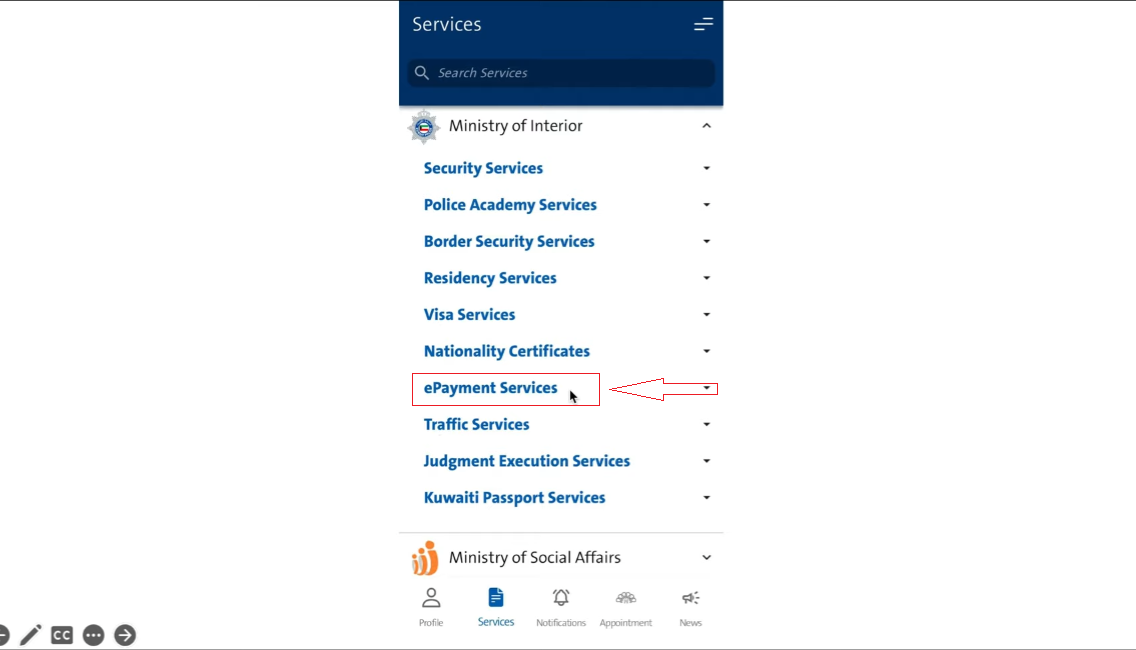
- Go to Government Services, then PACI.
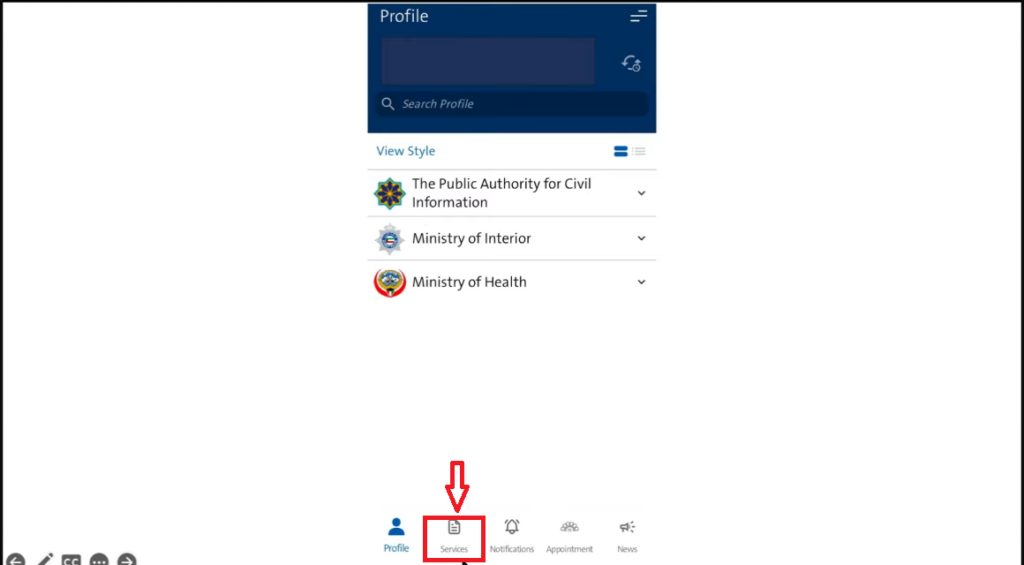
3. Tap Civil ID Services, then Fees Payment.
4. Enter your Civil ID number and check the total.
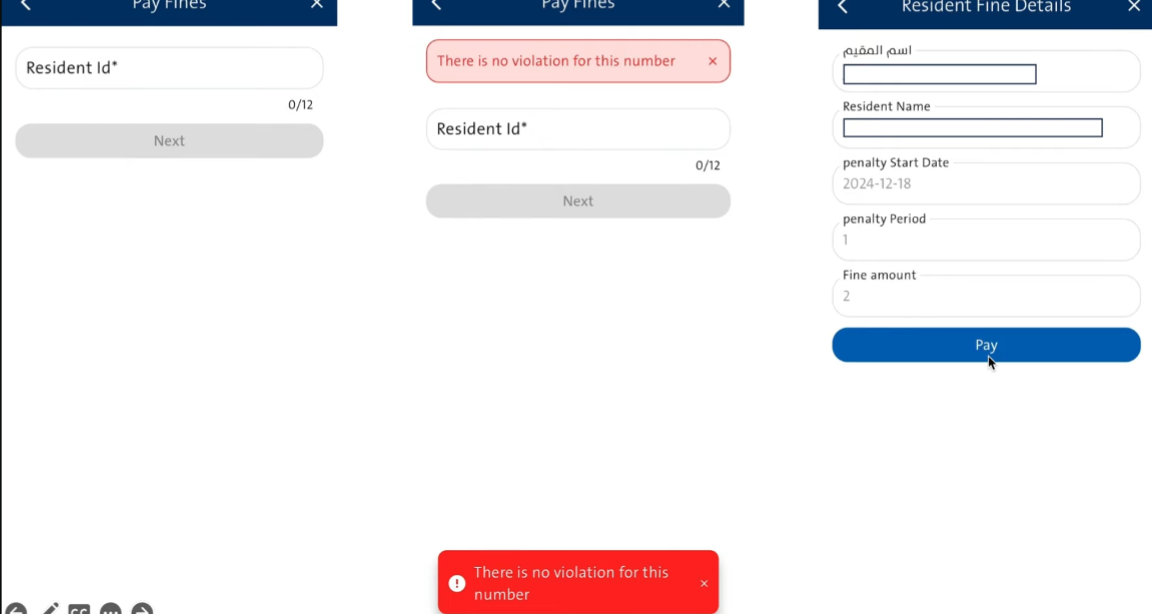
5. Pay through K-Net.
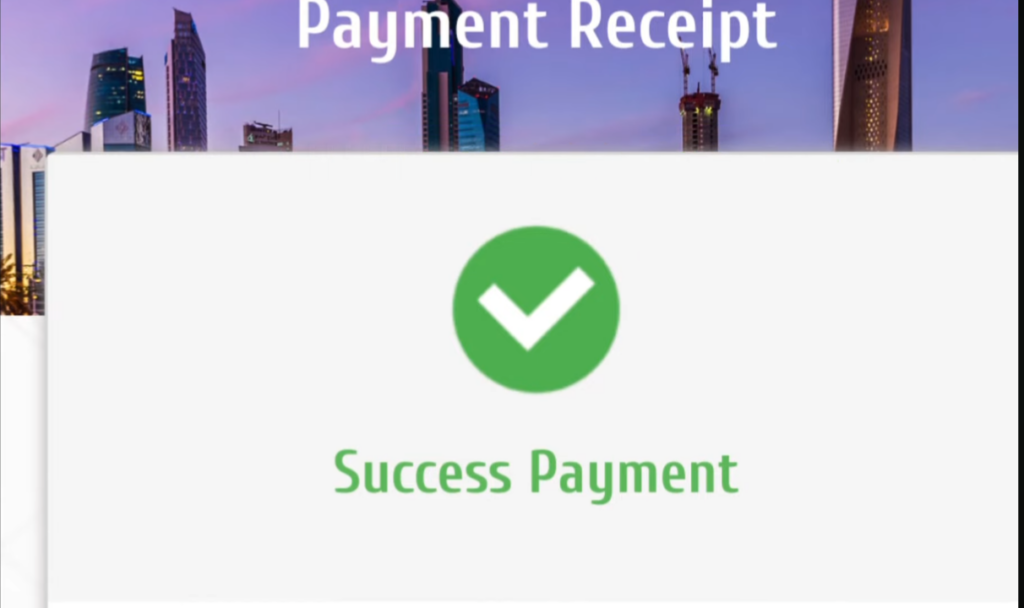
6. Save the e-receipt the app generates for you.
Self-Service Kiosk
This one is useful when you’re outside, or when the website isn’t working. Kiosks accept only cards, so skip this if you’re carrying cash. Insert your K-Net card, follow the on-screen steps, and collect your printed receipt right there.
Quick tip: always double-check to confirm that you are on the official site before entering any card details. Check the address bar for the official site, not a copycat page.
Civil ID Fees Schedule
Here’s a simple breakdown of all types of fees that you pay. This is an updated fee schedule, but always check the official sources before paying.
Service | Fee |
|---|---|
New Civil ID / Renewal (Citizens, Residents, GCC) | 5.250 KWD |
Domestic Workers | 2 KWD |
Home Delivery | 2.250 KWD |
Lost or Damaged Card Replacement | 20 KWD |
The standard fee covers the smart card (5 KWD) plus the envelope (0.250 KWD). Domestic workers pay a lower fee for a plastic card only. The renewal fees is 5.250 KWD. Check more details about Civil ID renewal.
Also Check: A detailed guide about Civil ID fine check.
How to check Kuwait Civil ID payment Status?
After payment, check whether it was successful. Just check your receipt or log back into the same portal you paid on.
Follow these methods to check your payment status:
PACI Website
Go back to services.paci.gov.kw and open the Fees Payment page. Enter your Civil ID number. The screen shows whether your payment is complete.
Sahel App
Open Sahel and check the same section where you paid. Your payment status updates here too.
Your Receipt
Check the receipt you saved after paying. It has your reference number and confirms the transaction went through. If your payment doesn’t show up right away, wait a bit. It can take some time to update.
Tips for smooth payment
Follow these simple tips if you want a hassle-free payment.
Frequently Asked Questions
How do I make a civil id payment online?
Visit the PACI website or Sahel app. Enter your Civil ID number, check the amount, and pay using K-Net.
Is it safe to pay government fees online in Kuwait?
Yes. The PACI portal uses a secure payment gateway. Just make sure you’re on the official website before entering any card details.
What happens if my K-Net card gets declined?
Try a different card, or check your bank’s online payment settings. A weak internet connection can also cause this issue.
Can I pay Kuwait civil ID fees without visiting an office?
Yes. You can pay fully online through the website, app, or even a nearby kiosk.
How long does it take for payment to reflect on my account?
Most payments update instantly. In some cases, it can take a short while to show up in the system.
Final Words
Civil ID payment is fully online. You can pay all of your fines and renewal fee online using the official website, the Sahel app, or a K-Net card. Check your ID payment status after payment. Follow the Pro tips for a hassle-free online payment.
Noura Alshammari
Civil ID Services Guide
Hi, I’m Noura Alshammari. I have more than 12 years of experience working at the Public Authority for Civil Information (PACI) in Kuwait. I help people check their Civil ID status, apply for a new Civil ID, renew their cards, replace lost IDs, and use other PACI services.
I created this website to share simple and useful guides about Kuwait Civil ID services. I use my experience to explain each process in clear and easy words. I also update my guides when PACI changes its services or requirements. My goal is to help people understand the Civil ID process and complete their tasks quickly and easily.